
Free resource · Updated October 2026
The Instagram size guide.
Every size you need for posts, Reels, Stories and your profile, including the new taller grid. Save the cheat sheet and you'll never resize a post twice.
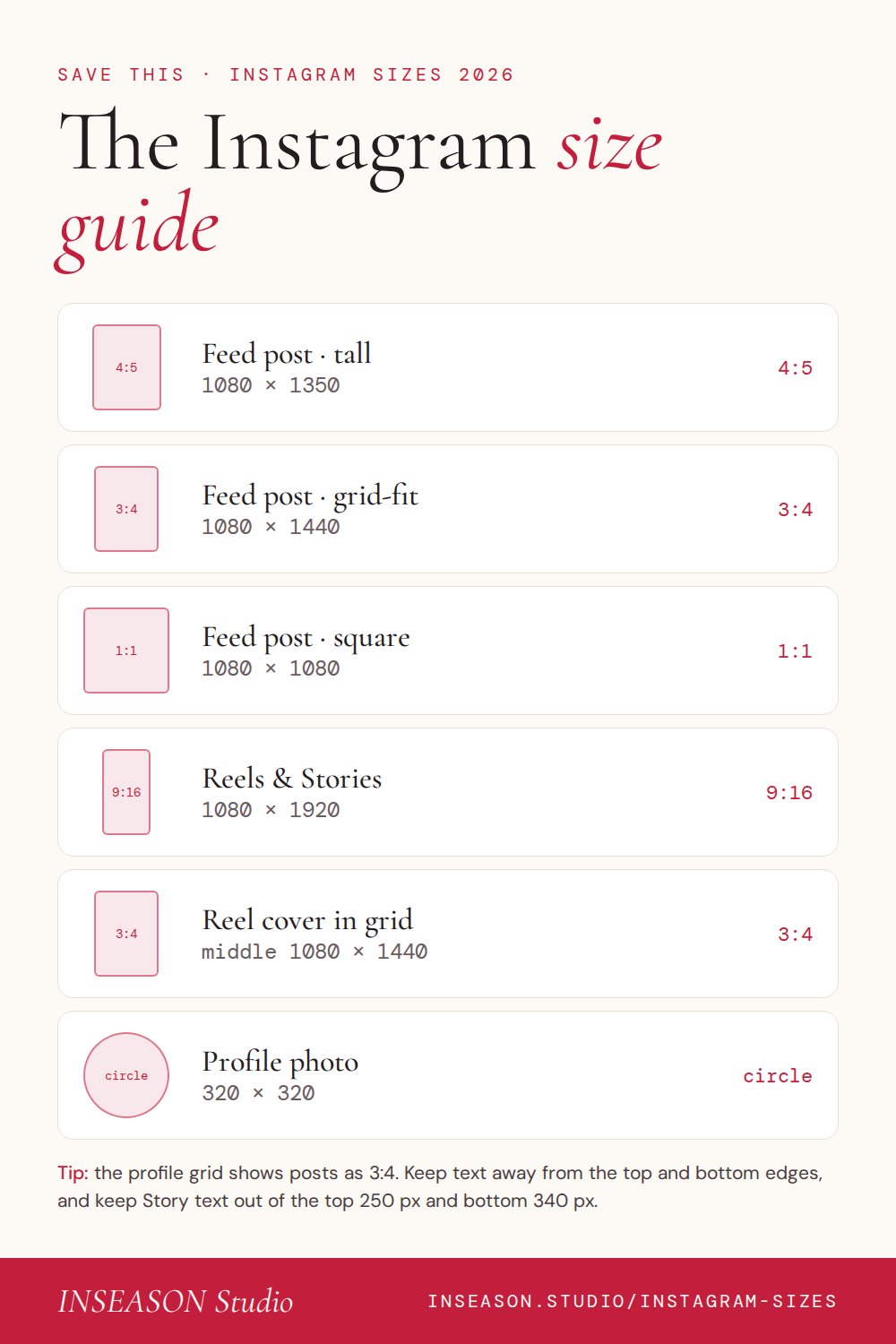
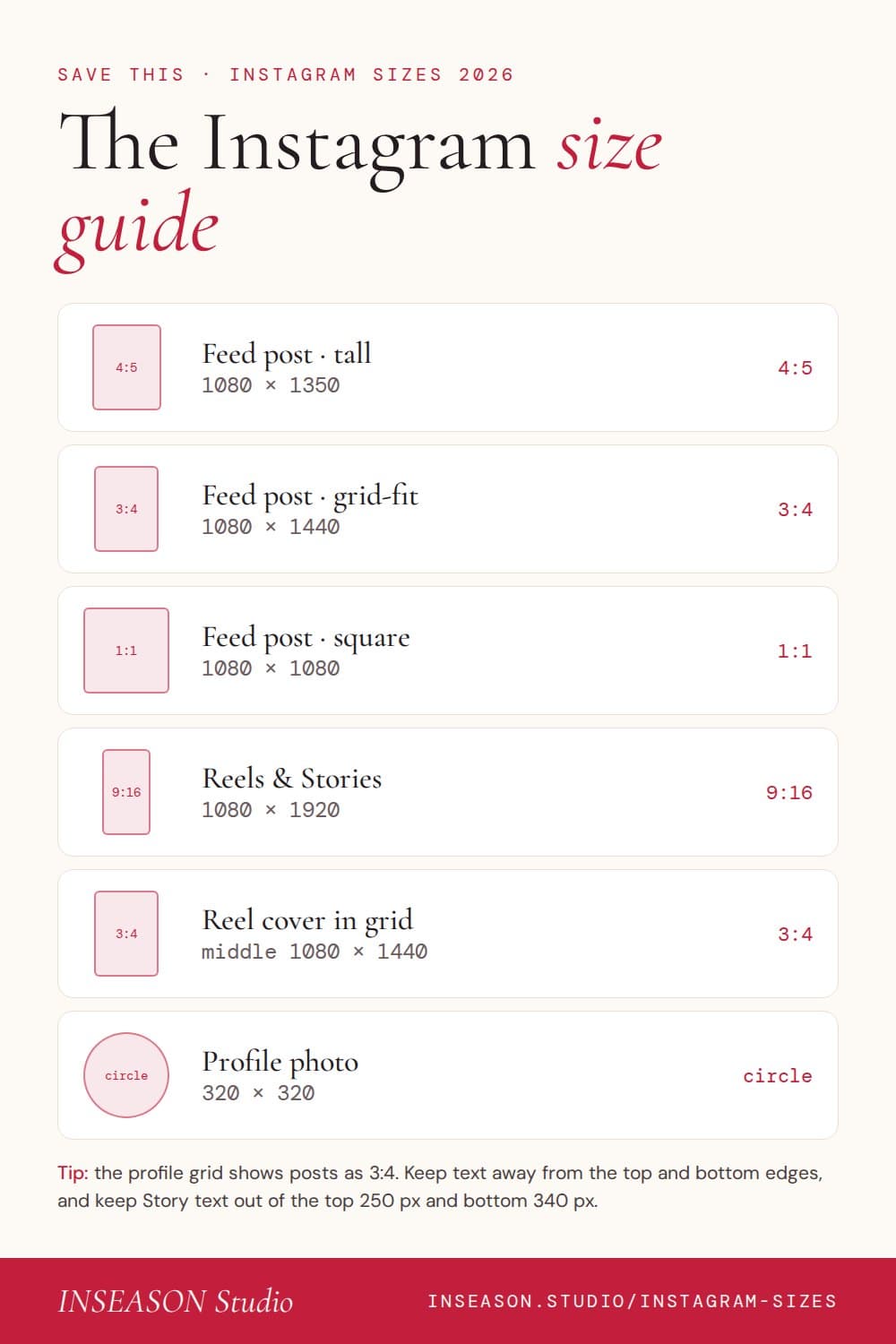
Instagram sizes
Feed post, tall (recommended)
1080 × 1350 4:5
Takes up the most room in the feed. The safest choice for ads.
Feed post, grid-fit
1080 × 1440 3:4
Matches the profile grid exactly, so nothing is cropped there.
Feed post, square
1080 × 1080 1:1
Still works, but looks small in the feed and gets padded in the grid.
Feed post, landscape
1080 × 566 1.91:1
Rarely worth it: it takes up the least space in the feed.
Reels
1080 × 1920 9:16
Full screen, vertical. Keep text inside the safe zone below.
Stories
1080 × 1920 9:16
Full screen, vertical. Leave space at the top and bottom.
Reel cover in the grid
1080 × 1440 shown 3:4
The grid shows the middle 3:4 of your 9:16 cover.
Profile photo
320 × 320 1:1
Shown as a circle, so keep your logo away from the corners.
| Shape | Format | Size in pixels | Ratio | Good to know |
|---|---|---|---|---|
| Feed post, tall (recommended) | 1080 × 1350 | 4:5 | Takes up the most room in the feed. The safest choice for ads. | |
| Feed post, grid-fit | 1080 × 1440 | 3:4 | Matches the profile grid exactly, so nothing is cropped there. | |
| Feed post, square | 1080 × 1080 | 1:1 | Still works, but looks small in the feed and gets padded in the grid. | |
| Feed post, landscape | 1080 × 566 | 1.91:1 | Rarely worth it: it takes up the least space in the feed. | |
| Reels | 1080 × 1920 | 9:16 | Full screen, vertical. Keep text inside the safe zone below. | |
| Stories | 1080 × 1920 | 9:16 | Full screen, vertical. Leave space at the top and bottom. | |
| Reel cover in the grid | 1080 × 1440 shown | 3:4 | The grid shows the middle 3:4 of your 9:16 cover. | |
| Profile photo | 320 × 320 | 1:1 | Shown as a circle, so keep your logo away from the corners. |
Checked October 2026. Instagram changes these from time to time; if you're running ads, confirm the ratio in Meta Ads Manager first.
The taller grid
Your profile grid is 3:4 now.
Instagram shows posts on your profile as taller 3:4 rectangles instead of squares. A 4:5 post loses a thin strip from the top and bottom there, and a Reel cover shows only its middle section.
The fix is simple: keep headlines, faces and logos away from the very edges. For a grid that looks planned, see our Instagram grid layouts.
Safe zones
Keep text where people can read it.
- Stories: leave roughly the top 250 px and bottom 340 px clear for your name, the progress bar and the reply box.
- Reels: the caption, audio and username sit across the bottom fifth, and the like, comment and share buttons down the right-hand side. Keep text in the middle, slightly above centre.
- Reel covers: the grid shows only the middle 1080 × 1440, so put the cover's words there.
These are approximate: the exact spaces vary a little by phone.
Free download
Save the cheat sheet.
Every size on one page, made to save to your phone or pin for later. Free, no sign-up.
Questions
Instagram sizes, answered
What is the best size for an Instagram post?
1080 × 1350 pixels (4:5) is the safest all-rounder: it fills the most space in the feed and works for ads. If you want posts to fit the profile grid exactly, use 1080 × 1440 (3:4).
Why do my posts look cropped on my profile?
Instagram's profile grid now shows posts as taller 3:4 rectangles. Square posts get space added, and 4:5 posts lose a little from the top and bottom. Keep headlines away from the very edges.
What size is an Instagram Reel?
1080 × 1920 pixels, a 9:16 vertical video. In your grid the cover shows the middle 1080 × 1440, so keep the cover's text and faces in the centre.
Can carousel slides be different sizes?
No. Every slide in a carousel uses the shape of the first one, so design them all at the same size, usually 1080 × 1350.
What size should Instagram Story text be?
There's no single size, but keep text large enough to read at arm's length and away from the top and bottom of the screen, where Instagram puts your name, the reply bar and buttons.
Do these sizes work in free Canva?
Yes. In free Canva choose Custom size and type the pixel sizes above, or start from Canva's Instagram post and story presets and resize if needed.
Templates already the right size.
Every INSEASON template and clip is made at the right size for posts, Reels and Stories, so you never have to resize.
See the studio