
Seven Instagram grid layouts, from checkerboard to colour shift, with how each one works, who it suits and how to keep it going without stress.
A grid layout is a simple pattern for where each type of post goes. It's what turns a collection of nice posts into a feed that looks planned. It's part of step five of making your Instagram feed look cohesive, and you only need to choose one.
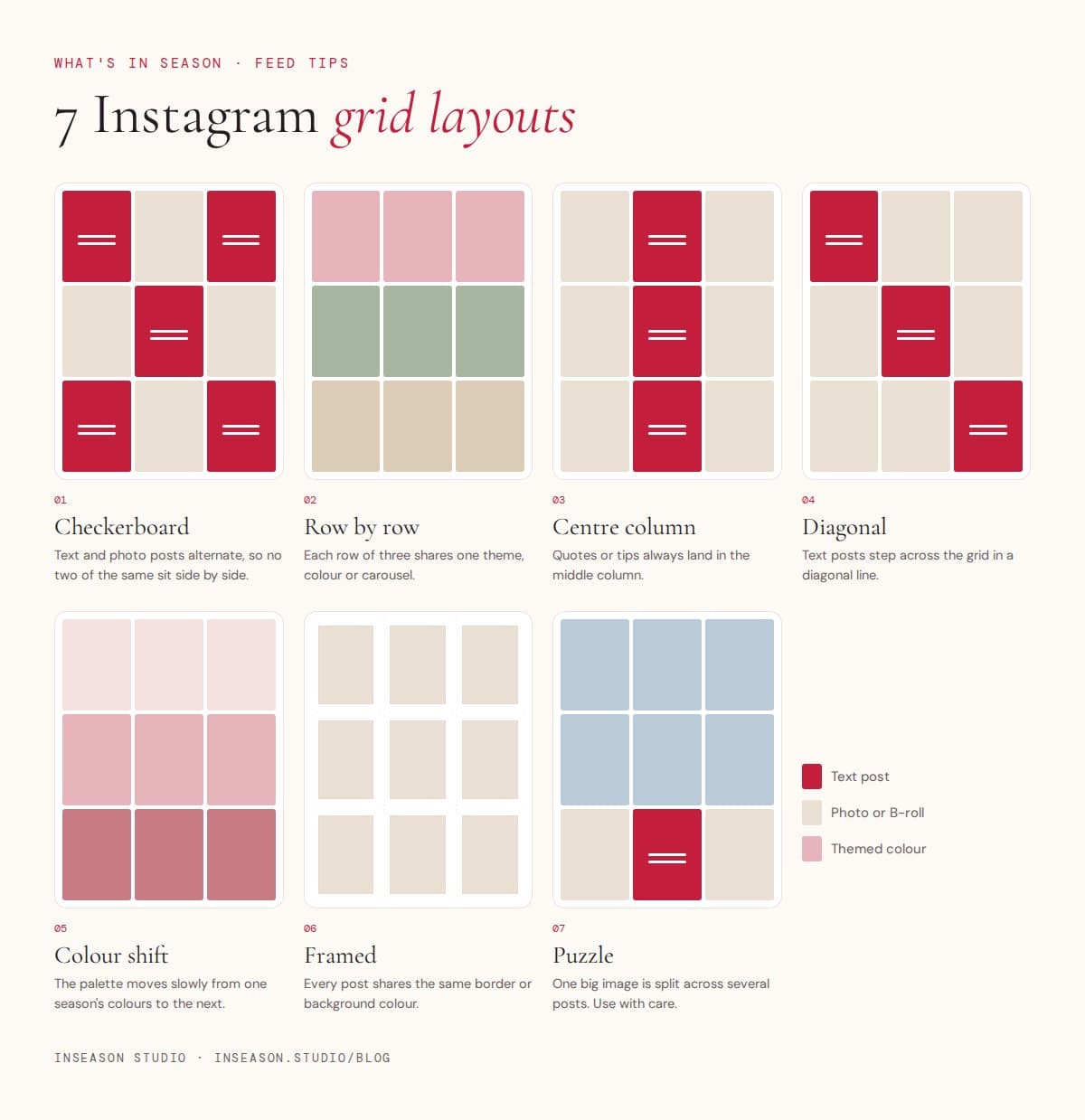
1. Checkerboard
Text posts and photo posts take turns, so no two of the same sit side by side. It's the easiest layout to keep up and suits almost everyone, especially if you post quotes or tips.
2. Row by row
Each row of three shares a theme, a colour or a single carousel split into three. It makes launches and campaigns look intentional, but you need to post in threes.
3. Centre column
Quotes, tips or announcements always land in the middle column, with photos either side. It gives your grid a strong spine and works well for coaches and educators.
4. Diagonal
Text posts step across the grid in a diagonal line. It looks clever but needs planning, so use a grid preview app or a phone album to check each new post before it goes live.
5. Colour shift
Your palette slowly moves from one season's colours to the next, row by row. Beautiful for brands that change with the seasons. Start with one of our spring colour palettes and shift towards summer over a few weeks.
6. Framed
Every post shares the same border or background colour. It's the most forgiving layout, because even mismatched photos look tidy inside the same frame. Great for cafés and food brands with lots of different dishes.
7. Puzzle
One large image is split across several posts. It makes a striking profile, but any post you delete or archive breaks the picture, and single posts can look odd in followers' feeds. Use it for a launch, not as your everyday layout.
Keeping it going
- Pick one layout and stick with it for at least a season.
- Plan your next three to nine posts at once, so you always know what comes next.
- Keep a few faceless B-roll clips in reserve: they slot into any photo square on a busy day.
- Use the same two fonts on every text post so the pattern stays recognisable.
Questions people ask
What is the easiest Instagram grid layout?
The checkerboard: alternate a text post and a photo post. It's simple to keep up and always looks balanced.
Do Reels affect my grid layout?
Yes, Reels appear in your grid using their cover image. Choose a cover that fits your layout and palette, and adjust how it's cropped for the grid when you post.
Is a puzzle grid a good idea?
Only for short campaigns. Deleting or archiving one post breaks the picture, and the single pieces can look strange in followers' feeds.